Five checks tell you whether a vintage Polaroid frame PNG will work: the window, the edge, the inner size in pixels, the file type and the licence. Each one takes you about a minute, and the first one saves you the most grief.
Of 73 Polaroid-style frame sets on sale, 17 state a size in pixels and none gives the size of the window you put your photo in.
Below you get the five checks in the order that saves the most time, and a sizes table for the window of a Polaroid, an Instax Mini and an Instax Square. You also get the limits of a free vintage polaroid frame png and of a single frame in general.
To test the checks on a real file, start with vintage polaroid frame png sets that name their pixels.
Five checks before you download a vintage Polaroid frame PNG
Quick answer:
- Window: put the file on a dark colour. If the photo window turns white, the transparency is fake.
- Edge: the aged border is made of half-transparent pixels. Look for a pale fringe on black and a dark one on white.
- Inner size: select the window and read its width and height. Divide by 300 to get inches.
- File type: PNG keeps transparency, JPG never does, PSD keeps layers and weighs more.
- Licence: a free frame is often for personal use only, and one frame rarely makes a set.
A vintage Polaroid frame PNG is ready to use when the window is see-through, the border is clean on black and white, the window size is known, and the licence covers the product.
That is the gap I want to close. Among 73 Polaroid and instant-photo frame sets, PNG is named in 33 and transparency in 25.
The 300 dpi label appears in 19, a size in pixels in 17 and a size in inches in 3. The word commercial appears in 1, and JPG is named in 6. The size of the inner window, in any unit, is named in none.
PNG, transparency, 300 dpi and a commercial licence together appear in none of the 73. Sellers state the file type about half the time and the licence almost never, so a clean preview tells you little. Vintage clipart png bundles that state the pixels are the exception.
Why the white border looks transparent until you drop it on a dark page
Most buyers meet the same surprise. The preview shows a frame on a white page, you download it, and on your coloured scrapbook page the window is a white square.
The preview page is white, and so is the baked-in window. White on white looks like nothing, and that is why the fake survives.
A real transparent window shows whatever lies under the file. A fake one shows white on every colour, so you only see it when the page behind it is not white.
This is the pain behind the search. A buyer pays for a file, opens it on a cream page and finds a white box where the photo should show through.
The fix is a habit. You test on a colour before you trust a preview, and do it on the first file of a pack, because the rest are usually cut the same way.
The search words show how many shapes hide behind one phrase. Buyers type old polaroid frame png, retro polaroid frame png, vintage polaroid border png and polaroid frame size, and each one brings a different file. For a sample to test on, open an old polaroid frame png listing and place the preview on a dark page.
Check one: is the photo window really see-through
This is the check that decides everything else. If the window is baked white, the rest of the file does not matter.
Run it in three steps:
- Open the file on a dark colour. A grey or black layer under it is enough.
- Look at the window. It should show the dark colour. A white window means the transparency is fake.
- Look at the corners of the border. A white wedge in a corner means the cut was made by hand and missed a spot.
I always check this first, because I have lost more time to a baked white window than to anything else. You should treat a tape strip or a pin on the frame as part of this check. If the tape lies across the window in the same file, a piece of the window is covered, and your photo will carry that strip.
When the frame should not be white
One exception is worth knowing. A white frame with a worn edge is a good file, and on a pale scrapbook page it nearly disappears.
For a light page you need a darker or tinted frame, or a coloured shape behind it. Check the frame against your page, not against the screen.
You can run the same test on any polaroid frame png preview before you pay for the file. For the page the frame goes onto, the vintage scrapbook paper design guide shows how to choose the paper.
Check two: the halo on the aged edge
A halo is a thin line of the old background that survived the cut. It shows pale when the frame was cut from a light page and dark when it was cut from a dark one.
A vintage frame is the hard case. Its charm is the worn edge, the stain and the rough corner, and all of that is built from half-transparent pixels. A rough cut tears exactly there.
So you test on two backgrounds, because you only see a fringe against a colour far from its own:
- Place the file on black. A pale line around the border means the cut was taken from a light page.
- Place it on white. A dark line means it was cut from a dark one.
- Place it on a colour close to the frame. A cream frame on beige loses its edge the way white loses it on white.
It takes a minute, and you learn more than the preview ever shows you. I run both tests on the first file of every pack, and I treat a fringe as a reason to skip the set.
The shadow trap
Some files carry a soft shadow under the frame. A shadow is made of half-transparent pixels, so it vanishes on white and turns into a grey smudge on any other colour.
Look for a line in the listing that says whether the shadow is part of the file. If it does not say, test it yourself on a coloured page.
Tape and pins are the second trap. When they are baked into the frame, you cannot move them, and they land wherever the artist put them. A set that gives you the tape as a separate file lets you place it where your photo needs it.
For gift tags and album pages that carry a frame, the vintage border design notes show how to frame the file once the edge is clean. To see a clean worn edge first, compare retro polaroid frame png files on black.
Check three: the inner size in pixels
This is the number nobody prints. Not one of the 73 sets gives the size of the window, so you measure it in the file.
I select the see-through area with the magic wand tool and read the width and height of the selection. That is your inner size.
The rule after that is plain arithmetic. Pixels divided by 300 is the largest print size in inches that stays sharp.
A window of 930 px across is 3.1 inches. A photo that is 1800 px on its long side is 6 inches, so it fills a 930 px window with room to spare. A window of 3000 px would need a larger photo.
Take your photo a few pixels larger than the window, so you never see an empty pixel under the border. If it is smaller, the window shows a stripe of the page behind it.
Do not confuse the canvas with the window. A listing that says 4000 x 3000 px describes the whole file, which is 13.3 x 10 inches, and the window is only a part of it.
That is why a stated size does not answer the question. The canvas is on the product page, and the window is something only the file can tell you. A set that names the window, or at least gives a frame that fills its canvas, saves the measuring, and polaroid frame overlay sets are the place to look for one.
Sizes table: window pixels, photo size and print size
The numbers below come from the usual film sizes, rounded to a tenth of an inch, and I use them as a starting point, not as a promise. Your file may differ by a few pixels, so measure the window in your own file before you size a photo.
| Frame format | Whole frame, inches | Whole frame, pixels | Window, inches | Window, pixels |
|---|---|---|---|---|
| Polaroid 600 and i-Type | 3.5 x 4.2 | 1050 x 1260 | 3.1 x 3.1 | 930 x 930 |
| Instax Mini | 2.1 x 3.4 | 630 x 1020 | 1.8 x 2.4 | 540 x 720 |
| Instax Square | 2.8 x 3.4 | 840 x 1020 | 2.4 x 2.4 | 720 x 720 |
Read the table from the photo side as well. If your photo is 1800 px on the long side, it covers the window of all three formats at 300 dpi.
A frame file made at the whole-frame size in the table is small. It prints sharp at that size and soft at twice that size, so a poster-size Polaroid needs a file made for it.
A smaller print that is sharp beats a bigger print that is blurred (the screen printing designs notes say the same about ink), so pick the instant film frame png whose window fits your row of the table.
Polaroid, Instax and square: three windows, three sizes

The word Polaroid covers more than one shape, and a frame made for one does not fit a photo cropped for another.
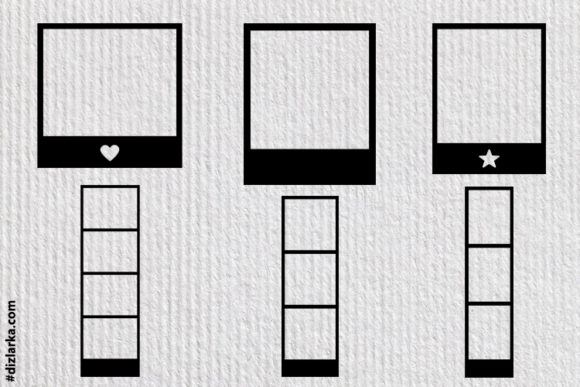
- Polaroid: a square window with a deep bottom border. The window is about 3.1 inches on a side.
- Instax Mini: a tall window, about 1.8 x 2.4 inches. A square photo gets cropped on both sides.
- Instax Square: a square window of 2.4 inches, with a thinner border than the Polaroid.
I crop the photo before I drop it under the frame. A portrait photo in a square window loses its top or its bottom, and that is the crop you choose, not the one the file chooses for you.
The same goes for sets. A pack that mixes shapes saves you from buying three files, and polaroid frame bundle listings that name each format are worth the extra minute of reading.
For the layout of such a page, the vintage poster design notes explain how to balance the sizes.
Check four: PNG, JPG or PSD for a frame
The three file types do different jobs, and you choose by where the frame ends up.
- PNG: keeps transparency. The right choice for albums, cards, tags and mockups. It is made of pixels, so you need the pixel count.
- JPG: never has a transparent background. Fine for a flat photo, wrong for a frame with a see-through window.
- PSD: keeps layers, so the tape, the shadow and the window can be moved. It weighs more and needs an editor that opens it.
Of the 73 sets, 33 name PNG, 7 name PSD and 6 name JPG. A listing with only JPG in the description cannot give you a see-through window, whatever the preview shows.
You can run the checks above on the PNG inside a PSD set as well. If the listing offers both, test the PNG first, because that is the file you will drop into a card or a page.
For a car, a stamp or a key set that shares your frame, the vintage skeleton key clipart guide covers the same edge tests on thin shapes.
Real frame sets with reviews are not many, so here are three that state a file size or a resolution. Read each listing for the window before you buy.
Unlimited creative assets. Access to AI tools.
Commercial licence included.
Browse all
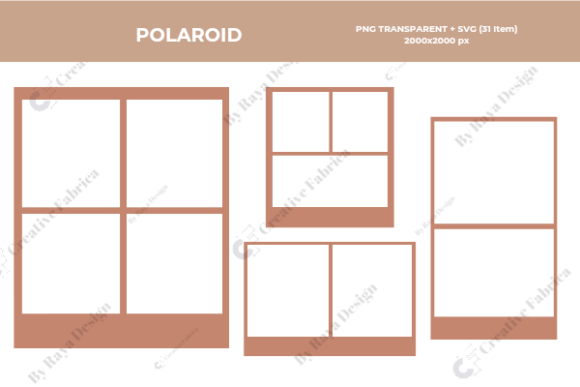
50 Polaroid Frames Overlay
Fifty PNG overlays, each 4000 x 3000 px, which is 13.3 x 10 inches. Best for you when many frames in one canvas size. Rated 5.0 over 3 reviews.

20 Vintage Polaroid Frame Overlay HQ
Twenty PNG overlays, each 6000 x 4000 px, so the canvas covers 20 x 13.3 inches. Best for you for a large canvas with a vintage look. Rated 5.0 over 1 review.

Polaroid Photo Frame
Fourteen PNG files on transparent backgrounds, ready for scrapbooking and printables. Best for you for a small set for pages and cards. Rated 5.0 over 2 reviews.
Check five: the licence on a free frame
A picture of a frame is not the same as the right to print it.
Someone drew, scanned or cleaned the file, and the terms of that work travel with it, so you inherit them. The licence is a separate question from the format, and a clean PNG can still be for personal use only.
Three readings cover most listings:
- Personal use: a card for a friend, a page in your own album.
- Commercial use: a printed product you sell. Look for the words commercial use or printed products.
- Resale of the file: almost never allowed.
The listing has to say it, and among the 73 sets only 1 does. I never print for a client until I have read that line, and you should not either. The assistant in a search engine says the same: check the licence of each asset before use.
This holds for seasonal art too, as the vintage Santa clipart checks show. When a client is waiting, read the licence line of each vintage photo frame clipart listing before you print.
Before you download a vintage Polaroid frame PNG, confirm:
- The listing says PNG and transparent background, not just a preview on a white page.
- The window shows a dark colour, and the border is clean on both black and white.
- You know the window size in pixels, measured in the file, and your photo is larger.
- The licence names the use you plan.
- The frames belong to one format and one style, so a page of them looks planned.
Building a collage page from several frames
Start with a canvas the size of your page. Put each photo on its own layer, then the frame on the layer above it, so you can move the photo inside the window without touching the frame. Turn each frame a couple of degrees one way or the other; perfectly straight frames look like a grid, not a pile of real prints.
Use the wide bottom border the way people used the real thing: write a date or a place there in a handwritten font. Then add a paper or linen texture behind the frames, so the white borders have something to sit on.
An aged edge also helps. A frame with a slightly yellowed, worn border reads as an old print, while a clean white rectangle reads as a phone template.
What a free frame leaves out and a matching set adds
A free vintage polaroid frame png is a fair place to begin, and for a card at home you may need nothing more. I use free files for drafts. They leave out four things:
- Window: the inner size is never stated, and the window is sometimes baked white.
- Edge: many free frames are cut roughly, with a halo on the worn border.
- Completeness: you get one frame, not a set of formats that share a style, with tape and pins as separate layers.
- Rights: the page seldom says whether you may print for a client, and each download has to be checked one by one.
A set fixes the third point and helps with the others.
An album page, a card and a mockup that carry frames from different hands look like a sample sheet. Frames drawn in one style, at one scale and with the same edge treatment make your project look planned.
A set also saves checks. I test the first file for window and edge. If it passes, you can expect the rest of the pack to be cut the same way.
When a free frame runs out of size or rights, vintage clipart png bundles with a stated size and licence are the next step. For cars and other shapes from the same period, the vintage car clipart guide runs the same background test, and the retro graphic design files that print notes cover the print side.
Questions about vintage Polaroid frame PNG
How do I check that a polaroid frame png has a real transparent window?
Place the file on a dark colour. If the window shows the dark colour, it is see-through; if it stays white, the background is baked in.
What size is the window of a Polaroid frame?
A Polaroid 600 or i-Type window is about 3.1 x 3.1 inches, which is 930 x 930 px. Your file may differ by a few pixels, so select the window and read the size.
Is a free polaroid frame png fine to use on cards I sell?
Only if the licence says so. Many free files are for personal use, so check the licence of each download before you print for sale. For a clear commercial licence, compare polaroid frame png sets.
Why is there a white box in the window of my old polaroid frame png?
The cut-out tool treated the window as part of the picture and kept it. Delete that patch by hand, or start from a file that is already cut.
PNG or PSD for a vintage Polaroid frame?
PNG for albums, cards and pages where the frame keeps its worn look. PSD when the tape and the shadow need to move and your editor opens layers.
How to make a Polaroid frame in Photoshop?
Make a canvas at the whole-frame size from the table, draw a white rectangle, then cut the window out so it is empty, not filled. Save as PNG, and test the result on a dark colour.
How to frame Polaroids once they are printed?
Print at the whole-frame size, trim the white margin and tape the print to a cream card. I leave the bottom border untouched, because that is the part people recognise as a Polaroid.
Why are my Polaroids coming out white or blank?
That is a camera fault, not a file fault: the film got too much light or the exposure was set too high. A frame PNG cannot cause it, but a baked white window can look the same on screen.
Does 72 dpi mean a frame file is too small?
Not by itself. The pixels decide, not the label. Divide the pixel width by 300 to see the largest sharp print in inches.
Key takeaways
- Five checks: window, edge, inner size, file type and licence.
- Test the window on a dark colour first; a white window means the transparency is fake.
- Test the edge on black and on white; one background hides half the problems.
- None of the 73 sets states the window size, so measure it in the file; a Polaroid window is about 930 x 930 px.
- Only 1 of 73 sets mentions commercial use, so read the licence line.
- Ready for files? Start with vintage polaroid frame png sets that name pixels and licence.