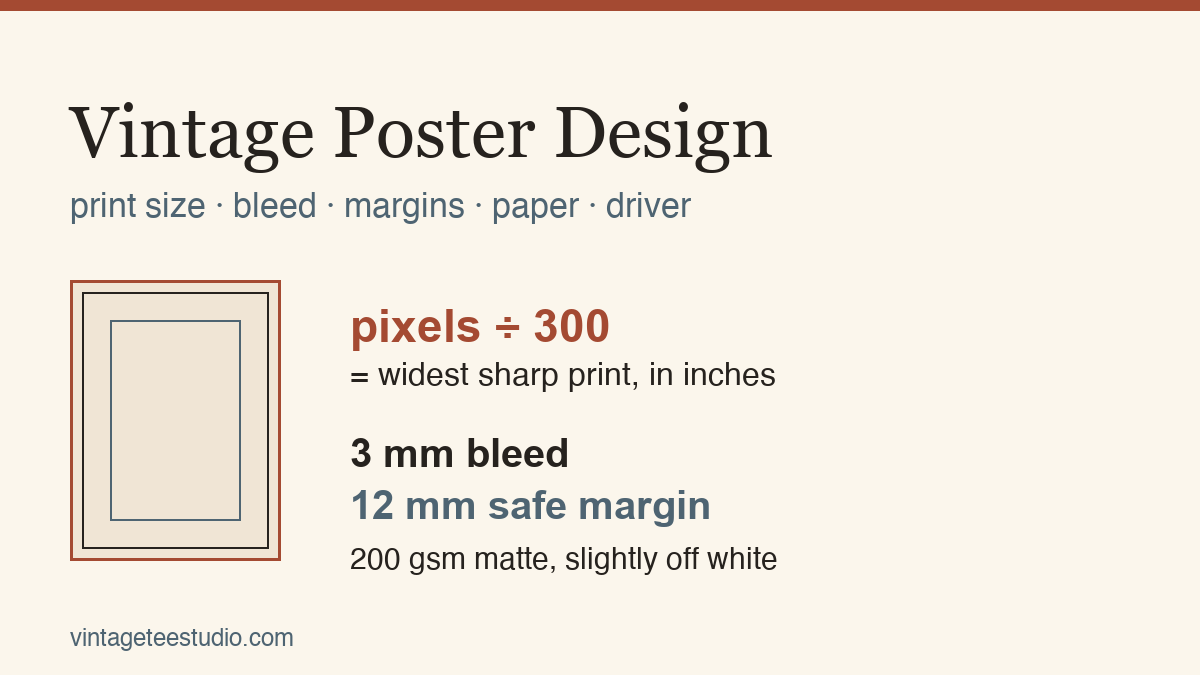
Quick answer: A vintage poster design that looks sharp on screen can still fail on paper for four separate reasons, and none of them show up until you print. The file needs to hold 300 DPI at the size you’re printing, not the size it was saved at. A transparent background promised in the listing can print as a flat white box if the layer wasn’t actually flattened out. Soft gradients — the kind travel posters lean on for sunset skies — lose most of their steps going through a printer’s colour conversion, so what looked smooth on screen bands on paper. And the file needs real bleed and margin built in, or the trim cuts into the art instead of the border. Check all four before you send anything to a printer.
The file looked finished. Full colour, clean linework, exactly the travel-poster mood you wanted for the wall or the gift. Then it came off the printer looking like a different file — a striped sky where the preview showed a smooth gradient, a hard white rectangle where the background was supposed to disappear, or an edge that cut a full inch into the design instead of trimming the margin around it. Nothing broke. The screen and the printer were never showing you the same information, and a vintage poster design sits closer to that gap than almost any other kind of file, because it leans so heavily on soft skies, big flat colour, and edge-to-edge composition.
Here’s what to check before you print, in the order it actually breaks. Start from a poster file already checked for print if you’d rather skip the diagnosis and go straight to a file that passes all four.
Quick diagnosis: DPI by what the file can actually hold, not what the listing says
Every vintage poster file lists a resolution, and almost nobody checks whether that number still means anything at the size they’re about to print. A file described as 300 DPI was measured at its saved dimensions. Stretch it to fill a bigger canvas in your print software and the effective DPI drops with it, silently, because nothing in the printing dialog warns you.
The industry floor is 300 DPI for anything viewed up close — a print on your desk or in a frame at arm’s length. Below 150 DPI, pixelation is visible at that same distance; 200 DPI is a workable compromise for a mid-size print viewed from a step or two back, the kind of distance most living-room wall art actually gets seen from. So the fix isn’t “always hit 300” — it’s matching the DPI floor to how close the poster will actually be viewed, and checking the number at your real print size, not the file’s original one.
The fastest way to check without guessing: open the file at full-size zoom and look at it on a monitor sized close to your intended print dimensions, or check the pixel dimensions against the target inches directly in your image editor’s document info. A file that reads sharp at full-size zoom on a large monitor is telling you something real about how it’ll hold up printed at a comparable size. The same DPI-at-real-size check applies whether you’re heading for a poster print or a garment print — our sublimation designs guide covers the resolution floor that fabric transfer needs, which runs even higher than paper.
 Pin it
 Pin it
See vintage poster designs checked at full print resolution


Vector versus raster: what actually happens when you scale up
A poster you plan to enlarge behaves completely differently depending on whether it’s built from paths or from pixels, and the file format alone doesn’t tell you which. A PNG can contain a vectorised illustration exported flat; a PDF can contain an embedded raster image scaled past its native size. What matters is what’s inside.
Vector artwork — type, icons, flat illustrated shapes built in a vector program — scales to any size with the same crisp edge, because it’s redrawn from math at every size rather than stretched from a fixed pixel grid. Raster artwork, including most photo-textured or hand-illustrated vintage styles, has a ceiling: enlarge it past its native resolution and edges soften, fine linework breaks apart, and grain that looked intentional at the original size turns into visible blocky pixels.
Before you scale a poster design up to a bigger print, know which one you’re holding. Zoom well past full size in your editor. Vector paths stay perfectly sharp at any zoom level; a raster image starts showing its pixel grid the moment you pass its native resolution, which is the same test as the DPI check above, just applied at the enlargement you’re actually planning. Logo work runs into this exact ceiling too — our vintage logo design guide walks through the same vector-vs-raster test for artwork that has to scale from a business card up to a storefront sign.
 Pin it
 Pin it
Browse designs built from scalable vector art
Unlimited creative assets. Access to AI tools.
Commercial licence included.
Browse allBack To Vintage
A vector-built retro badge set that holds its edge cleanly at any enlargement, unlike a rasterised distressed-texture badge of the same style.

Sideways Font
A graffiti-styled display font built as vector outlines rather than a scanned brush stroke, so the letterforms don’t soften when a poster title gets blown up to fill a large format.


Transparent background promised — a white rectangle on the print
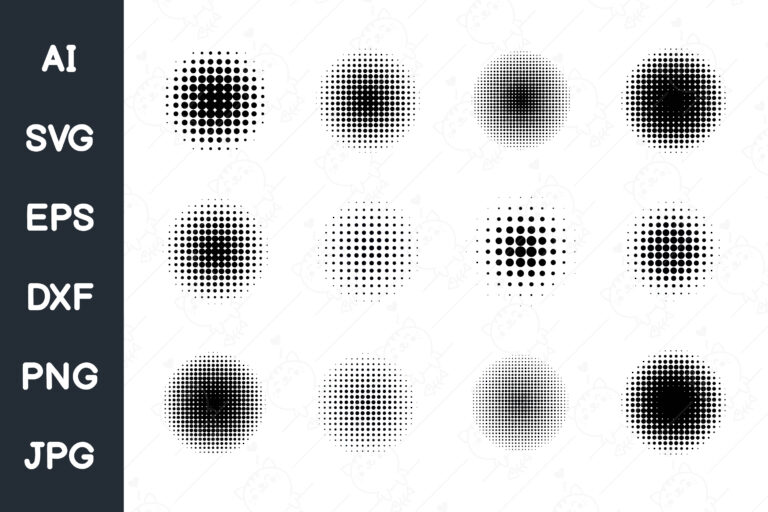
A listing says “transparent background” and the thumbnail on the marketplace shows a checkerboard pattern behind the design, which is the visual shorthand for transparency. That checkerboard is only in the preview image. Whether the actual file you download still has an alpha channel, or whether it was exported onto a solid white or coloured layer at some point in production, is a separate question the thumbnail can’t answer.
The test takes one step: open the downloaded file directly in your image editor and check the layers panel, not the marketplace preview. If the background layer shows the checkerboard pattern in your own software, it’s genuinely transparent. If it shows solid white, that white will print as a hard-edged rectangle behind your design the moment it lands on coloured paper or over another layered element — exactly the kind of poster-on-poster layering a gallery wall composition depends on.
This matters more for poster work than almost any other use, because posters are frequently layered — over a coloured mat, inside a composite gallery arrangement, or printed onto toned paper for an aged look. A background that’s actually opaque white kills all three of those options silently. The same transparency check matters for seasonal artwork you plan to layer, too — our vintage Halloween clipart roundup flags the identical checkerboard-preview trap on layered seasonal designs.
 Pin it
Abstract. Art. Prints
A set of hand-drawn 60s/70s-style floral posters delivered as vector files with PNG exports included, so the transparent layer is checked once and holds at any print size, rather than left to the marketplace thumbnail’s checkerboard preview.


The screen is lying about colour: what a print conversion does to it
Every vintage travel poster leans on the same trick to sell the mood — a wide, smooth gradient sky behind the silhouette. That gradient is the single element most likely to fall apart between screen and paper, and a number beats a guess here, so two gradients go through the exact conversion a printer performs: sRGB screen colour into CMYK printing inks and back to sRGB, using a standard ICC colour profile at a relative colorimetric rendering intent — the same math a commercial press or a home inkjet driver applies before it lays down ink.
A cyan-to-magenta gradient that held 217 distinct colour steps on screen came out the other side with only 49 visible steps. A second gradient, ultraviolet fading to sunset orange, went from 206 steps down to 39. In both cases the gradient lost roughly three-quarters of its smoothness. On screen, that loss is invisible — the file still displays all 217 or 206 steps because your monitor never runs the conversion. On paper, the missing steps show up as visible banding: a staircase of flat colour bands instead of a smooth blend, most noticeable exactly where a travel-poster sunset sky asks for the smoothest possible transition.
A soft 256-step gradient run through the same sRGB→CMYK→sRGB conversion a printer performs loses roughly two-thirds of its visible steps — on screen it reads as a smooth sunset sky, on paper it’s a staircase of about forty flat colour bands.
| Gradient | Steps on screen | Steps after print conversion | Loss |
|---|---|---|---|
| Cyan → magenta | 217 | 49 | 77% |
| Ultraviolet → sunset orange | 206 | 39 | 81% |
 Pin it
 Pin it
The practical read: any poster design that relies on a wide, soft gradient sky is asking more of the print process than the process can reliably deliver, and no amount of source-file quality changes that physics. The fix isn’t a “better” file — it’s building a small amount of visible texture or a slightly narrower colour range into the gradient on purpose, so the banding a print process will introduce doesn’t read as a mistake. The same colour-conversion gap shows up any time a design leans on smooth gradients rather than flat colour — our retro-futurism graphic design piece runs into the identical banding risk with its neon gradient skies.
See vintage travel posters printed and ready to order
What that gap actually costs you
None of this shows up until the sheet is already through the printer. A gradient sky that bands, a background that turns out opaque, a design that softens at the edges because it was scaled past its native resolution — every one of those is a printed sheet you can’t take back. If it was a gift, the recipient sees the banding, not the intention. If it was for your own wall, that’s a second trip to buy paper and reprint, and a second wait for a service to ship it again. None of these are expensive mistakes individually, but they’re all avoidable with a five-minute check before the file ever reaches a printer, which is the only point where fixing them is free.
Add up the four checks above and the pattern is the same every time: the failure is invisible on the screen that sold you the file, and visible only on the paper you already paid to print. A seller’s thumbnail can’t show you your own DPI at your own print size. A marketplace preview can’t show you whether the transparent layer survived export. Your monitor can’t show you what a colour conversion does to a gradient, because it never runs that conversion. The only place all four checks actually happen is in your own editor, on the actual downloaded file, before it goes anywhere near a printer or a print-on-demand upload form — which is why every section above ends with a check you run yourself, not a claim you take on faith from a listing. A retro poster style like the ones in our 70s design collection carries the same gradient-and-texture risk, so the same five-minute habit applies there too.
| What slips through | Where it shows up | What it costs you |
|---|---|---|
| DPI checked at the wrong size | soft, mushy edges on the printed sheet | a reprint, or a gift handed over looking unfinished |
| Transparent layer not actually transparent | a hard white box behind the design | a layered composition that can’t be layered |
| Gradient run through print colour conversion | visible banding across a sunset sky | the one element the design was built around, broken |
| No bleed or margin built in | a trim that cuts into the art itself | a second sheet of paper and a second wait |
 Pin it
See poster designs already checked against all four


Paper and weight (GSM): why a thin sheet buckles and shows through

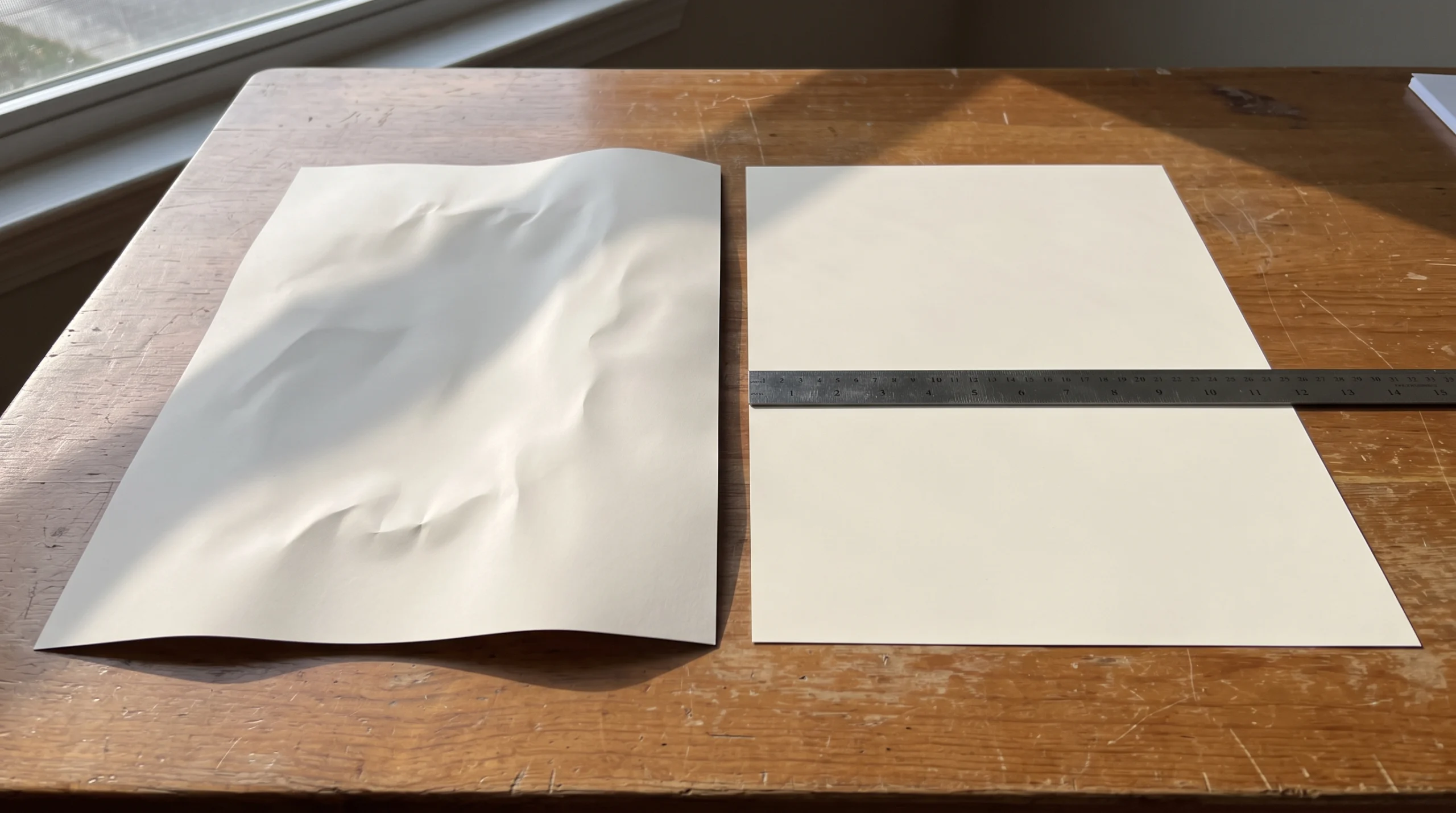
Poster paper is measured in GSM — grams per square metre — and the number matters more for a poster than for almost any other print, because a poster is usually viewed at a distance and often unframed, so both sides of the sheet get judged. Standard printer paper sits well below poster weight. Poster stock needs to start at 160 GSM as a floor, which is roughly where a sheet stops buckling under ink saturation and stops letting the design on the reverse side show through under light.
Print services that specialise in posters — Zazzle among them — typically run 250 to 300 GSM stock for their poster and print-on-demand lines, which is thick enough to feel substantial when handled and to hold flat without curling at the edges after printing. If you’re printing at home instead, that weight range is also roughly the ceiling most consumer inkjet printers can physically feed without jamming, so check your printer’s specified maximum media weight before buying stock heavier than it can handle.
| Weight (GSM) | What it means for a poster |
|---|---|
| Below 160 | standard printer paper — buckles under ink saturation, shows the reverse side through in light |
| 160–200 | usable floor for a poster — holds flat without curling for most home inkjet setups |
| 250–300 | typical POD service stock (Zazzle and similar) — feels substantial, resists curling after printing |
 Pin it
 Pin it
Matte versus gloss is a separate decision from weight. A vintage poster with a muted, aged palette generally reads better on a matte or lightly textured surface — gloss adds a sheen that can fight the intentionally faded, sun-worn look most vintage designs are going for in the first place. If you’re weighing paper texture for a project beyond posters, our vintage scrapbook paper design guide covers the same weight-versus-texture trade-off at a smaller sheet size.
See poster-weight paper options for printing at home or through a service
Bleed and margins: why a trimmed edge cuts into the art, not just the border
Bleed is the amount of extra artwork built past the edge of the final trimmed size, and the standard used across offset and inkjet print-on-demand work alike is 3 millimetres. The reason it exists at all: no cutting process, machine or hand, trims with zero variance. Build a design edge-to-edge with nothing past the trim line, and any tiny shift in the cut leaves a thin white sliver of unprinted paper along that edge — on a poster, usually along the exact side where a border or full-bleed illustration was meant to run flush.
Margin is the opposite problem in the opposite direction: it’s the safe zone inside the trim line where nothing important — text, a logo, a focal element of the illustration — should sit, because that’s the zone most at risk if the cut lands slightly inside the intended line. A design with type running right up against the trim edge risks having letters clipped if the cut runs even a millimetre tight.
Before sending a file to any print service, check that the design extends 3mm past every edge of the final size, and that nothing critical sits closer than a reasonable margin inside that same edge. Most print-on-demand services state their required bleed and margin explicitly in their file-upload guidelines — check the service’s own numbers before assuming the general 3mm standard applies exactly as-is to their process. Border artwork is especially exposed to this failure — see our vintage border design piece for how the same trim-line math applies when the design itself is a decorative edge.
 Pin it
 Pin it
Wild Lines Font
A bold linear display font designed with generous internal spacing between strokes, which keeps letterforms clear of a trim edge even when a poster title runs close to the border.


One design file, three formats: poster, card, and a magazine spread
The same illustration rarely stays a single fixed size for long — a design bought as a poster often ends up reused as a card, or resized into a spread. Print-on-demand poster lines typically offer a ready range of sizes running from around 12 inches up to 24 inches on the long side, and moving a design between sizes inside that range works cleanly only if the file was built with enough native resolution and enough margin to survive being reframed at a different aspect ratio. If you’d rather start from a file other buyers have already put through this exact test, our bestsellers page tracks which designs in the catalog are holding up best across formats right now.
The failure mode when it doesn’t work: a design composed tight to one exact aspect ratio looks complete at its original poster size, then looks cropped or awkwardly centred the moment it’s resized into a squarer card format or a wider spread layout. Designs with a contained focal element and generous surrounding space handle a format change far better than a design built edge-to-edge for one specific ratio.
A print-on-demand service is also the simplest way to get a single design output at several sizes without manually rebuilding the document for each one — upload once, choose the size at order time, and the service handles the layout scaling within its supported range. The same one-file, multiple-format logic is why a lot of 80s design artwork gets reused across a poster, a card, and a shirt print without ever being rebuilt from scratch.
 Pin it
See a vintage poster design available across multiple sizes
Unlimited creative assets. Access to AI tools.
Commercial licence included.
Browse allSign Rathi
A vintage signage-style typeface with a wide letterform that stays legible at both a compact card size and a full 24-inch poster crop.

Masterline Calligraphy
Built with generous surrounding space around the lettering rather than an edge-to-edge composition, so it survives being resized into a card or a wider spread format.

Barbie Vintage Font
Listed with a clear commercial licence covering printed physical resale, spelled out on the product page rather than left to a generic marketplace badge.

Commercial licence: what’s actually covered, and what only sounds like it is

A listing that says “commercial use included” is telling you something specific, not something general — and the specifics vary by marketplace and by individual product licence. What’s commonly covered under a standard commercial licence: printing the design onto physical items you sell, using it in a shop listing, or including it in a finished product you produce and sell yourself. What’s commonly excluded, even under a licence labelled commercial: reselling the design file itself as a digital download, or claiming the design as your own original artwork.
The safest habit is checking each individual product’s licence terms rather than assuming one marketplace-wide policy covers everything you buy there — licence terms can and do vary product to product on the same platform, especially between designs from different original creators bundled onto the same catalogue. The same per-product licence check applies before running a design through a physical printing method rather than a paper poster — our screen printing designs guide covers what a commercial licence needs to cover when the output is apparel, not a print on paper.
 Pin it
Commercial use is spelled out on the listing, not implied by the price tag or the “for personal or commercial use” badge alone — read the actual licence text on the product page before printing something you intend to sell.
Browse designs with commercial licensing spelled out


Key takeaways
- Check DPI at your real print size, not the size the file was saved at — 300 DPI up close, 200 DPI is workable for a mid-size print viewed from a step back.
- Open the file yourself and check the layers panel for a real alpha channel — a “transparent background” claim in a listing isn’t proof.
- Soft gradients lose roughly three-quarters of their smooth steps going through a print colour conversion — build in a little texture on purpose rather than trusting the screen preview.
- Poster paper needs to start at 160 GSM; print services commonly run 250–300 GSM for their poster lines.
- Build 3mm of bleed past every trim edge, and keep anything critical clear of the margin just inside it.
- A design with contained focal elements and breathing room survives being resized across a poster-to-card size range; an edge-to-edge composition doesn’t.
- Read the actual licence text on each product page — commercial coverage varies design to design, even on the same marketplace.
Browse vintage poster designs checked for print

Frequently asked questions
| Quick check | Safe number |
|---|---|
| DPI at your real print size | 300 (150 is the lowest edge before pixelation shows) |
| Bleed past every trim edge | 3mm |
| Paper weight for a poster | 160–300 GSM |
What DPI do I actually need for a vintage poster print?
300 DPI at your real print size is the safe floor for anything viewed up close. For a larger poster typically viewed from a step or two back, 200 DPI holds up fine, and 150 DPI is the lowest edge where pixelation starts becoming visible even at that distance. Check the number at your finished size, not the size the file was originally saved at — stretching a file in your print software drops the effective DPI without warning you.
Why does my gradient sky look banded after printing when it was smooth on screen?
Printing converts your screen’s colour space into printing inks and back, and that conversion drops most of the fine steps a smooth gradient relies on — in testing, a cyan-to-magenta gradient dropped from 217 visible steps to 49 going through that conversion. The banding you’re seeing on paper was always going to happen; the screen just never shows it because your monitor doesn’t run the same conversion.
The listing said transparent background, why did I get a white box?
The checkerboard pattern showing transparency lives in the marketplace preview image, not necessarily in the file you download. Open the actual file in your own editor and check the layers panel directly — if the background layer shows solid white there instead of the checkerboard, it will print as a hard-edged white rectangle. See designs with a genuinely transparent background if you’d rather check the layers before you buy than after.
How much bleed does a poster actually need?
3 millimetres past every trim edge is the standard used across most print-on-demand and offset printing. It exists because no cutting process trims with zero variance, so that extra 3mm covers a slight shift in the cut without leaving a white sliver along the edge. Check your specific print service’s stated requirement, since some ask for slightly more.
Can I use the same poster file for a smaller card size?
Yes, as long as the design has enough native resolution for the larger size and enough surrounding space around the focal element to survive being reframed at a different aspect ratio. A design built edge-to-edge for one exact ratio tends to look cropped when resized into a squarer or differently-proportioned format.
Does a commercial licence let me resell the poster design itself?
Usually not. A standard commercial licence commonly covers printing the design onto items you sell or using it in a finished product, but it commonly excludes reselling the design file itself as a digital download. Licence terms vary by individual product, so check the actual licence text on each product page rather than assuming one store-wide policy.
What is a poster in graphic design, in terms of the file itself?
In graphic design terms, a poster is a fixed-aspect-ratio composition built to hold up at a specific print size — which is a file-construction problem, not just a layout choice. That means enough native resolution for the trim size (300 DPI at print dimensions, not the file’s saved size), a background layer that’s actually transparent or actually flat colour rather than a checkerboard preview trick, and 3mm of bleed built past every edge so the trim doesn’t cut into the composition. A design file that skips any of those isn’t a smaller poster — it’s a poster that fails at the printer.
What is poster design in art, versus poster design for print?
As an art discipline, poster design is about composition, colour, and message read at a glance from a distance. As a print job, every one of those artistic choices runs through a physical constraint the artwork itself doesn’t show: a soft gradient sky that reads as smooth art on screen loses most of its steps in a print colour conversion, and a bold edge-to-edge layout that reads as strong art needs bleed built in or the trim cuts the composition. The art and the print file are the same image, but only one of them gets tested against a printer before it’s finished.
See vintage poster prints ready to order in multiple sizes